How to configure webhooks to get notified of new PDF form submissions

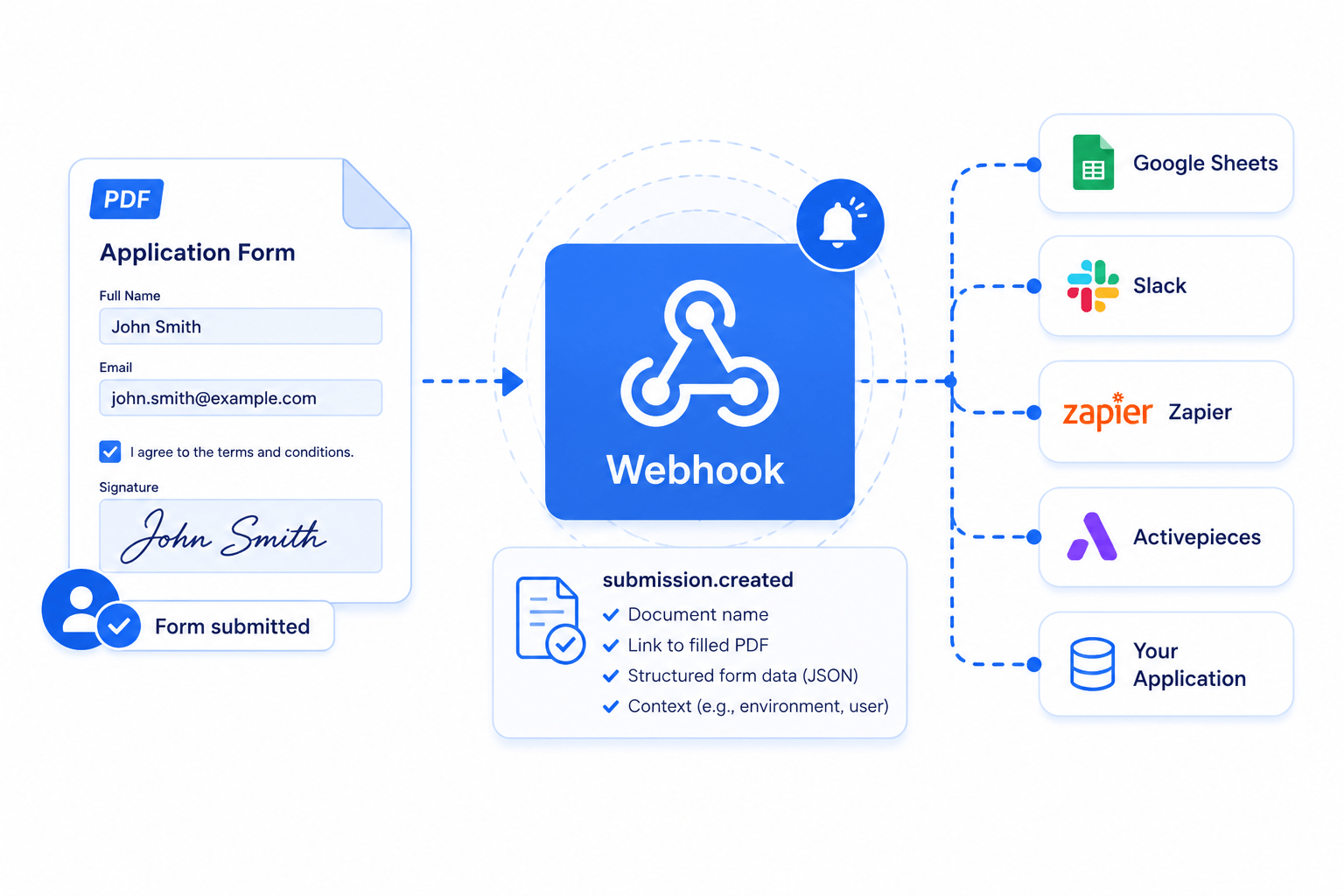
A powerful way to send the submissions to your application or connect SimplePDF with other services such as Zapier or Activepieces is to use webhooks.
Webhooks?
Webhooks allow to connect applications with one another by sending data in real-time from one application to the other(s) whenever a given event happens.
In SimplePDF, every time a PDF is submitted via your company portal, either using form links or embed in your website, an event is sent out containing the document name, a link to the filled PDF, and a link to the structured form data among other things.
The structured form data is the part most integrations care about: instead of parsing the filled PDF, you receive every answer as JSON, ready to store, route, or pipe into another system. See Extracting the structured form data below.
From there, the sky is the limit and you can let your imagination run free.
You could for example save that information in a Google sheet or integrate it with Zapier or Activepieces and unlock even more possibilities!
Configuring webhooks in SimplePDF
Configuring webhooks is available with the BASIC plan. Webhook deliveries are unlimited and do not count toward your monthly plan quota; only documents and submissions do.
- Log in to your account
- Navigate to the account settings view
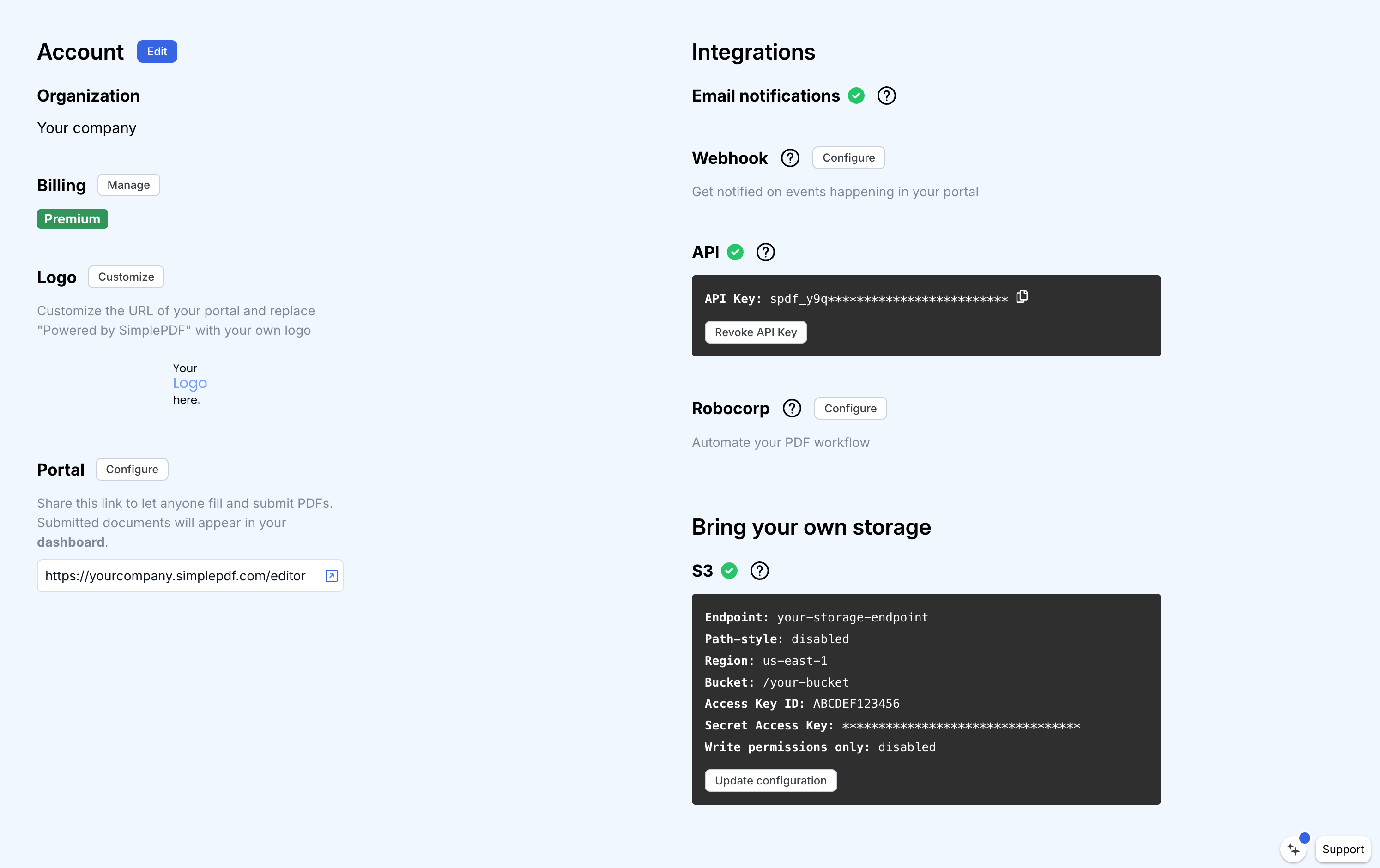
- Click
Update configuration - Enter the webhook URL of the service or application to which you want to send events
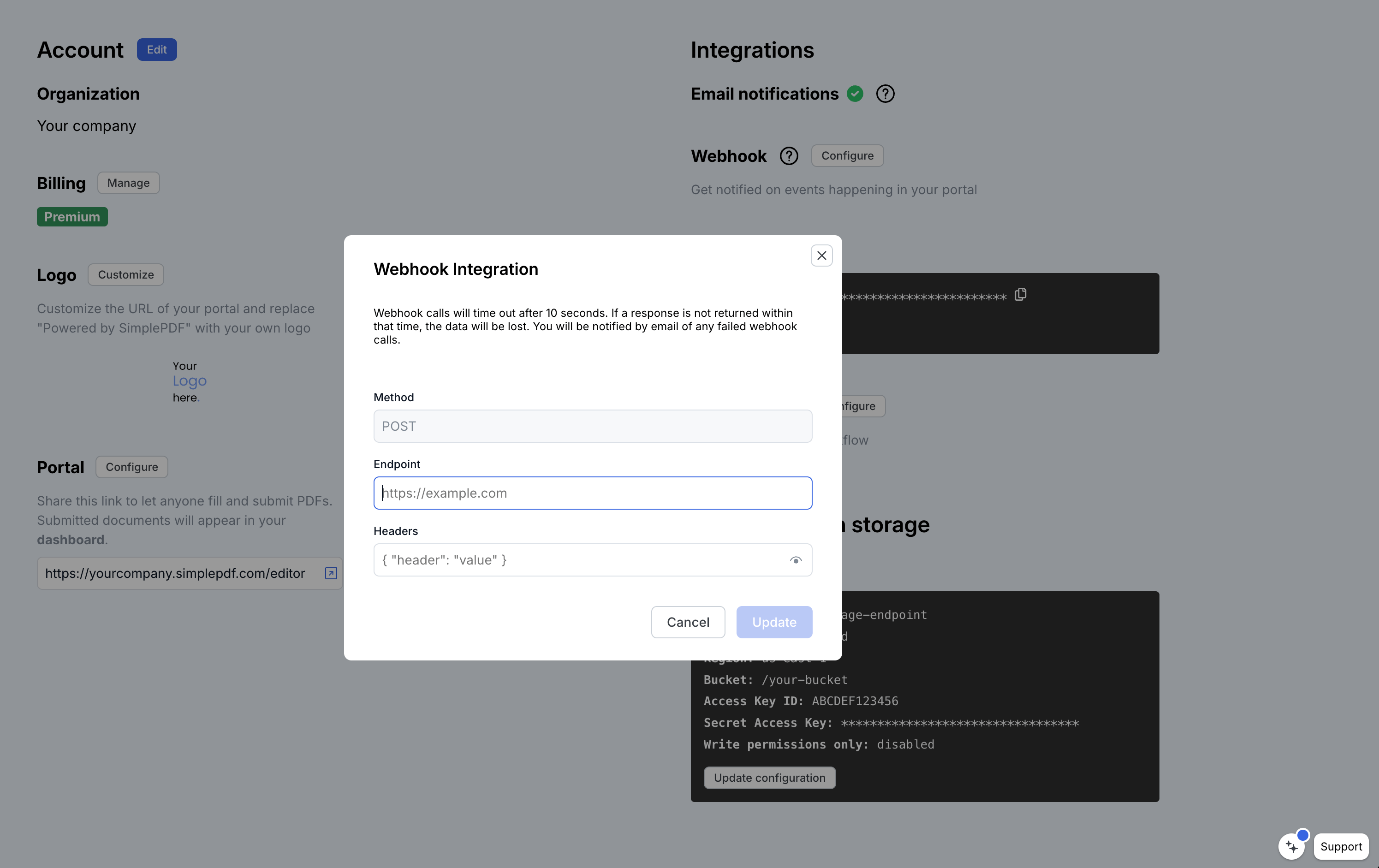
- Optional: specify the headers to send as part of the webhook
That's it! An event will be sent everytime there's a new submission
Webhook events
You will find below the events that are sent by SimplePDF to the webhook you configured.
type: "submission.created",
data: {
  document: {
    id: "b7615a68-9e1f-4eac-bd20-5e80632a4d9e",
    name: "your_document.pdf",
  },
  submission: {
    id: "80146d5b-a068-490f-8eb9-fe393ba11396",
    submitted_at: "2023-06-04T11:54:58.995Z",
    url: "short_lived_15min_url",
    field_data_url: "short_lived_15min_url",
  },
  context: {
    environment: "production",
    customer_id: "123"
  }
}
Extracting the structured form data
field_data_url is a short-lived link to the submission's form data as JSON, so you never have to parse the filled PDF to read the answers.
It captures every field, whether it is a field built into the PDF (a native form field, also called an AcroField) or a field your recipient filled that you added on top of the document in SimplePDF. Both appear in the same list, each carrying its id, its name, and the submitted value:
{
  "fields": [
    { "id": "first_name__widget_1", "name": "First name", "value": "Jane" },
    { "id": "agreed_to_terms__widget_1", "name": "Agreed to terms", "value": "checked" },
    { "id": "f_a1b2c3", "name": "Reviewer note", "value": "A note added on top of the PDF" }
  ]
}
Each value is plain text (a signature or picture rides as an inline image). Because every entry carries both the id and the name, you can map each answer to its field and feed it straight into a spreadsheet, a database, or a downstream form such as a FHIR questionnaire response. The very same JSON can be sent back to SimplePDF to pre-fill another document, so a submission round-trips cleanly.
The fields on a document are stable, and you control how each one is named: configure your fields once (rename them, mark them required, set defaults) and every future submission arrives with the same id and name. That turns mapping webhook data to your own system into a one-time setup that then runs unchanged for every submission. (name is null for a field you added on top but never named.)
field_data_url expires after 15 minutes, like url. If you need it later, fetch a fresh one from the API with GET /documents/{document_id}/submissions/{submission_id}. It is null for submissions captured before structured form data was available.
About the context
When you integrate SimplePDF in your website, you may want to tie additional information to submissions.
For example, you may want to:
- Know whether the submission was initiated from a development
environmentvs aproductionone. - Send additional details about who submitted the form (such as a logged in user) that will make it easier for you to process the submission.
Learn how to specify a context in the documentation of SimplePDF embed
Playground
We like examples at SimplePDF, so what about a real-life example of how webhooks look like?
- Modify the context below (click to edit the content)
{"environment":"production","customer_id":"123"}If you have any questions, feel free to reach out to [email protected]
You may also be interested in
- Add required fields on PDF forms
- Customize the editor and add your own branding
- Customize the submission confirmation
- Save edited PDF submissions to Supabase
- Get email notifications on PDF form submissions
- Organize documents with tags
- Connect SharePoint as your storage for PDF submissions
- Embed the PDF editor in SharePoint
- Configure your own S3 bucket for PDF form submissions
- Configure your own Azure Blob Storage for PDF form submissions
- How to use your own Scaleway storage for documents in SimplePDF
- Save the PDF submissions to your Bubble Database using Bubble workflows
- Connect SimplePDF with Activepieces to automate your PDF forms processing
- Use the Robocorp integration to leverage AI in your IDP workflow
- Add the embed PDF editor to a Next.js App
- View and edit PDF in Excalidraw
- Monitor team activity with SimplePDF audit logs
- Pre-fill PDF forms with AI agents using SimplePDF
- How to self-host SimplePDF Copilot